Shopify Surcharge App for Cart Fees & Shipping Protection Made Simple
Add handling fees, shipping protection, service charges, and custom surcharges to your Shopify cart. Let customers opt-in to optional fees while maintaining transparency. Increase your average order value.
How to Add Surcharges to Shopify
Three simple steps to add fees and surcharges to your Shopify cart. Set up surcharge rules, customize your widget, and start collecting fees in under 5 minutes.
Set up your fee and surcharge structure
Why it matters: Flexible surcharge creation lets you model fees that match your business needs.
Create Surcharge Rules
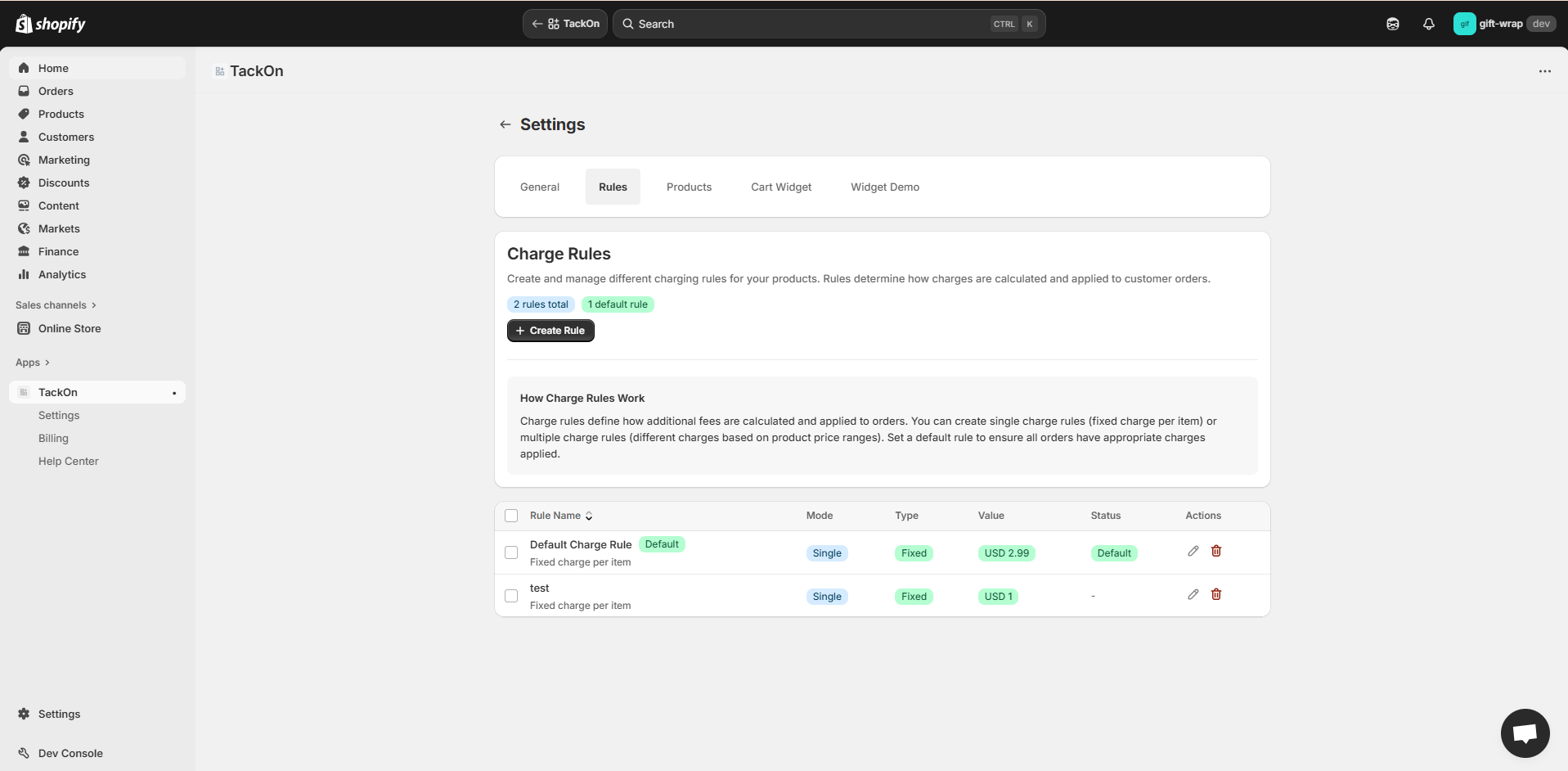
Define fixed, percentage, or combined surcharges. Set price-range tiers and choose which products the surcharge rule applies to.
Configure Widget
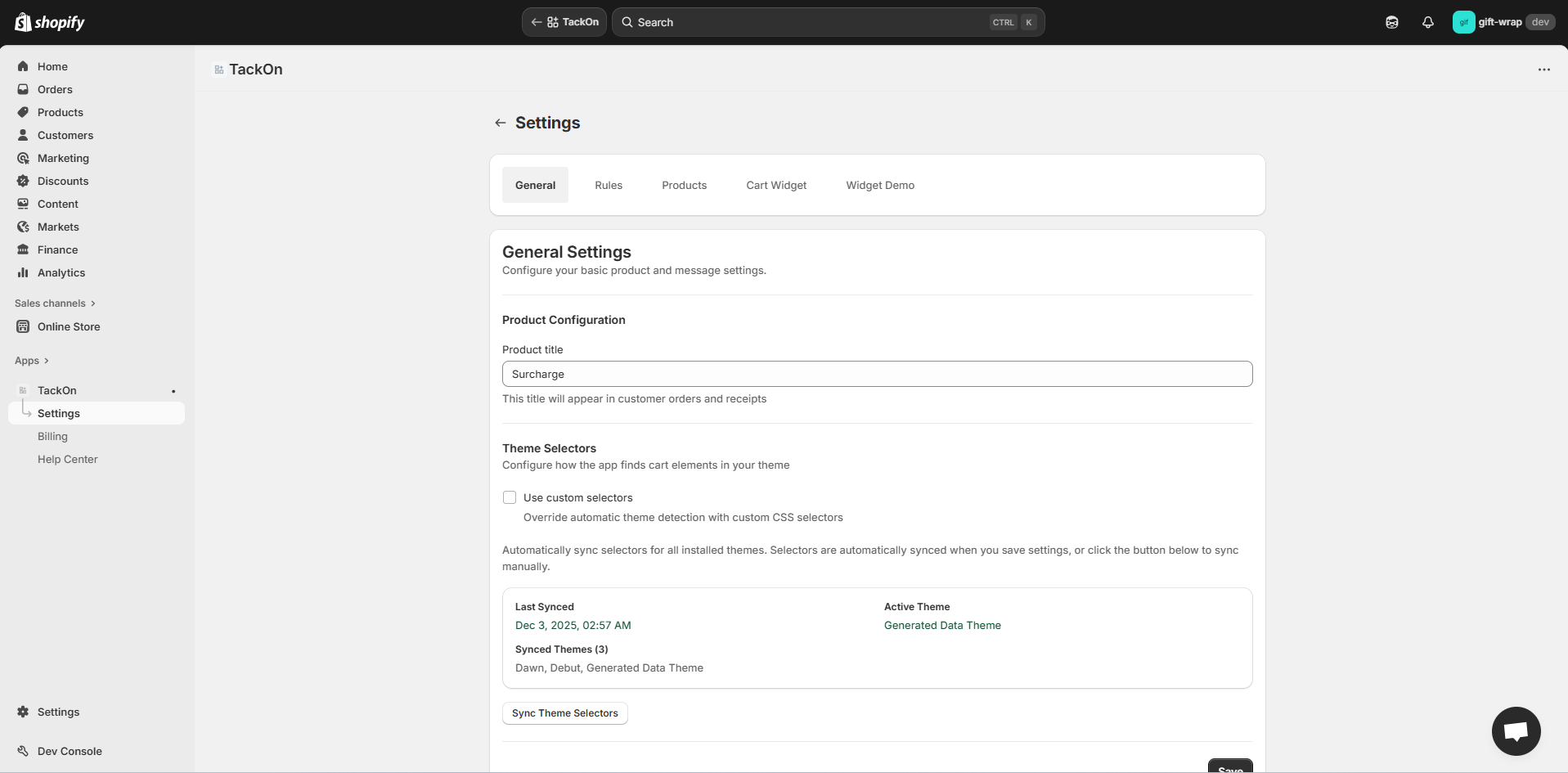
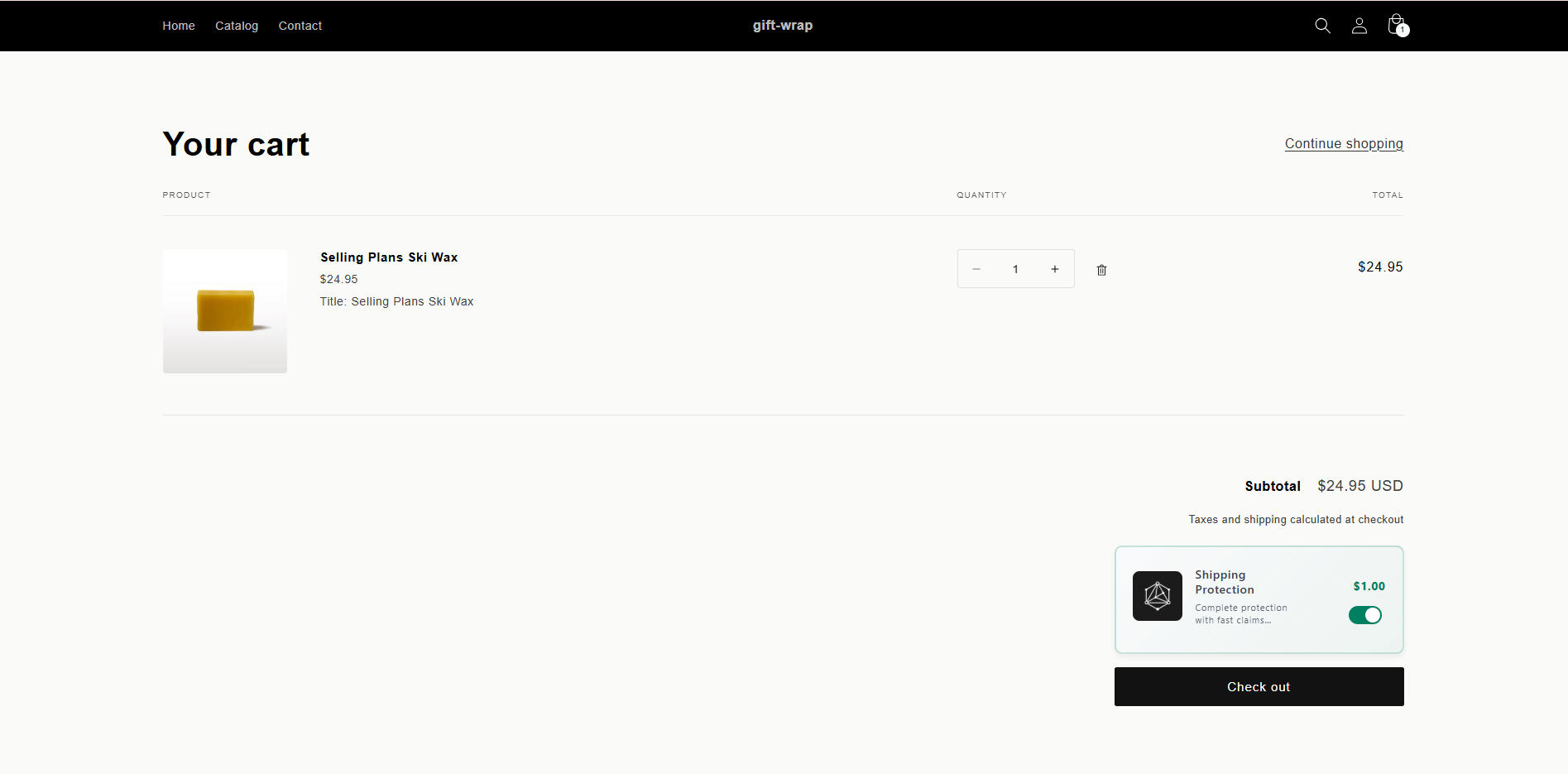
Pick a template or customize the surcharge widget with your own HTML and CSS. Set titles, descriptions, and checkbox behavior.
Go Live
Turn on the widget and surcharges apply automatically to matching orders. Track fee revenue in your Shopify admin.
Atomic install
Drop the block, select targets, publish — no theme surgery or risky merges.
Resilient runtime
Observes cart state and reconciles instantly — no render storms or flicker.
Transparent tracking
Emits analytics hooks so uplift and attach rate become first‑class metrics.
Shopify Fee & Surcharge Features
Everything you need to add fees and surcharges to your Shopify cart: flexible rules, fast rendering, 100+ theme compatibility & fully customizable widgets.
Flexible Surcharge Rules
Apply fees and surcharges by product or cart-wide. Set price-based tiers with multiple ranges and exclude specific products from surcharges.
- Fixed & % surcharges
- Combined fee type
- Price-range tiers
- Product-specific fees
- Excluded products
Sub-15ms Paint
Reserved footprint & deterministic virtual mount prevent CLS & flicker for your surcharge widget.
- Zero CLS
- <5kb runtime
- Predictable ordering
100+ Theme Support
Adaptive host selectors + checkout sync keep your fee widget transparent & stable across all Shopify themes.
- Checkout pass-through
- Discount aware
- Multi-currency
Fee & Surcharge Attribution
Track fee and surcharge revenue per order with clear attribution in your Shopify admin.
- Order tracking
- Surcharge breakdown
Predictable Surcharges
Fees and surcharges apply consistently with clear priority rules.
- Stable outcomes
- Clear rules
Accessible By Design
Semantic markup, focus choreography & SR announcements for your fee widget.
- ARIA live cues
- Keyboard flows
Surcharge Overview
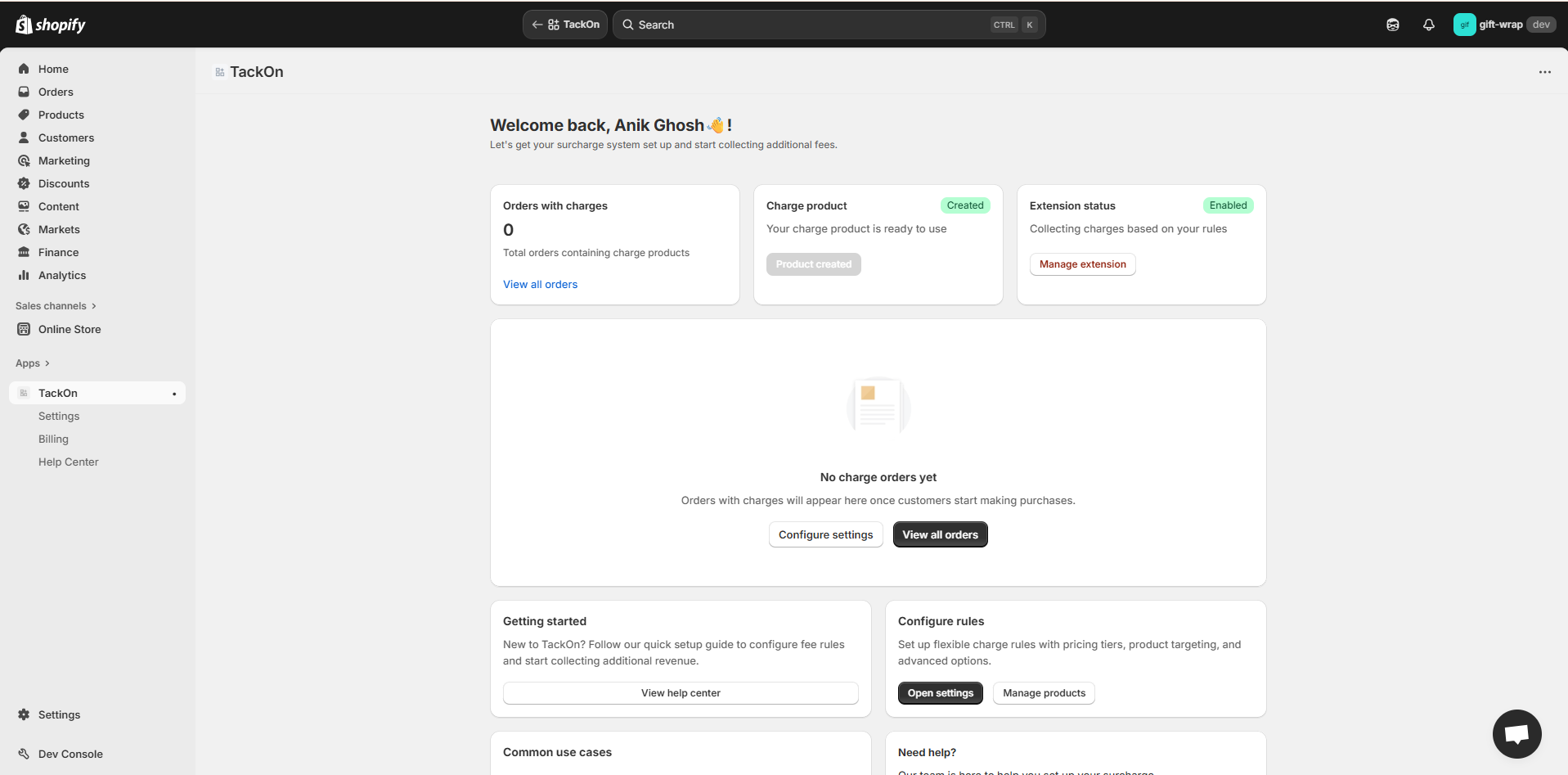
See your fee and surcharge rules at a glance and track orders with TackOn surcharges.
- Rule management
- Order history
Widget Templates
Choose from preset templates or customize the surcharge widget HTML & CSS to match your brand.
- Template library
- Custom HTML/CSS
- Brand matching
Product Surface
A glimpse at the internal console. Core modules are live; market & subscription nuance layers are staged. Visuals are obfuscated placeholders until public launch.
Integrations
Built on native Shopify surfaces. TackOn works with your existing theme, checkout, and cart setup without requiring custom code.
- Shopify CheckoutCoreFee sync at checkout
- Online Store 2.0CoreTheme app extension
- Discount CodesCoreWorks with discounts
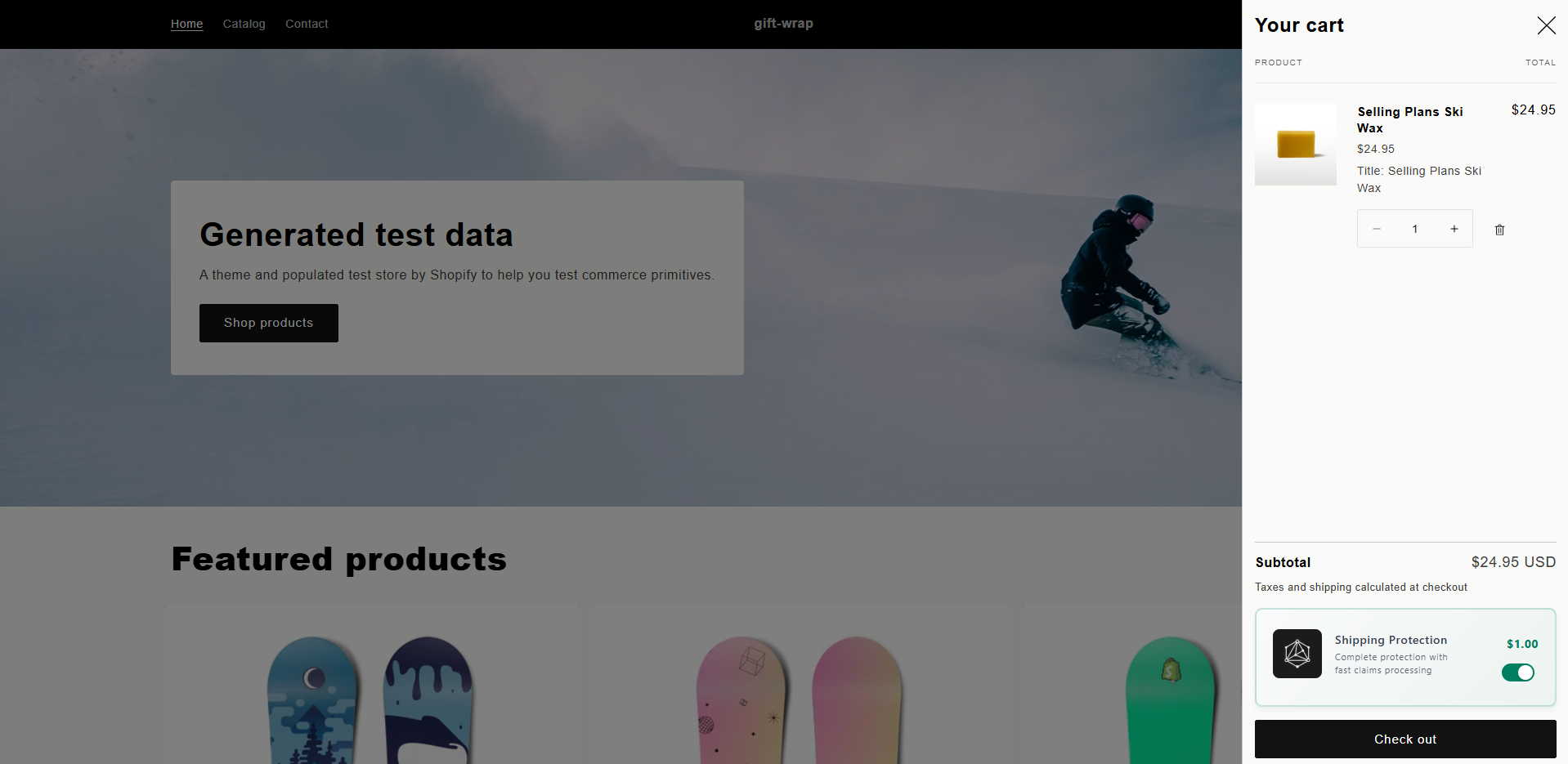
- Cart DrawerCoreWidget placement
- Multi-currencyCoreFollows store currency
- MarketsBetaCurrency aware fees
Fees are reflected at checkout automatically without extra configuration.
Works with Online Store 2.0 themes via app blocks - no code edits needed.
Fees follow your store's currency settings via Shopify APIs.
Runtime Signals
Performance metrics reflect real-world testing across theme contexts to ensure deterministic render behavior with zero layout shift.
Merchant Feedback
Lightweight install. Reliable fee logic. Fast support. Here's what merchants are saying about TackOn.
"We added handling fees with TackOn and saw our average order value increase by 12% in the first month. Setup took less than 10 minutes."
"The surcharge feature is exactly what we needed for our fragile items. Customers appreciate the transparency of opt-in fees."
"Finally, a Shopify fee app that works without breaking our theme. Clean interface, no layout shifts, just works."
"The tiered pricing feature was perfect for our shipping protection. Different rates for different cart values made sense for our customers."
"Support responded within hours when we needed help with custom styling. The widget now matches our brand perfectly."
"We process hundreds of orders daily. TackOn handles the fee calculations flawlessly and the usage-based pricing keeps our costs predictable."
Shopify Fee & Surcharge App Pricing
Start with 20 orders free forever. After that, pay only when customers pay fees or surcharges through TackOn. No fees collected = no charges to you.
Perfect for trying TackOn or low-volume stores.
- 20 orders per month
- Resets monthly
- All surcharge types & rules
- All widget templates
- Multi-currency support
- Product-specific surcharges
- No credit card required
Automatically activated on install
Includes 50 orders. Then just $0.10 per additional order.
- 50 orders included monthly
- $0.10 per order after 50
- 30-day free trial
- Unlimited surcharge types & rules
- All widget templates
- Multi-currency support
- Product-specific surcharges
- $99.99/month maximum cap
No credit card required • Cancel anytime
50
orders with surcharges
$5.00
/month
200
orders with surcharges
$20.00
/month
500
orders with surcharges
$50.00
/month
$5/month base • 50 orders included • Cancel anytime • Capped at $99.99/month
Frequently Asked Questions
Everything you need to know about adding fees and surcharges to your Shopify store.
With TackOn, you can add any type of surcharge or fee to your Shopify cart in minutes. Simply install the app, create your fee rules (fixed, percentage, or tiered), and enable the widget on your cart page. No coding required.
TackOn supports handling fees, shipping protection, rush processing charges, environmental fees, service surcharges, gift wrapping fees, and any custom fees you need. You can set fixed amounts, percentages, or tiered pricing based on cart value.
No. TackOn's widget is optimized for performance - it loads in milliseconds and doesn't cause any layout shifts. The lightweight code (under 20KB) ensures your store speed and Core Web Vitals remain unaffected.
Yes! TackOn is theme-agnostic and works with 100+ Shopify themes including Dawn, Refresh, Sense, and all Online Store 2.0 themes. It automatically adapts to your theme's cart page layout.
Absolutely. You can create product-specific fee rules, exclude certain products, or set cart-wide fees. This flexibility lets you charge handling fees only on fragile items, for example.
TackOn offers a 30-day free trial with full access to all features. No credit card required. After the trial, you only pay $0.10 per order that includes a TackOn fee, with a $99.99 monthly cap.
Yes. When customers opt-in to a fee, it's added as a line item and appears clearly throughout the checkout process. This ensures full transparency and compliance with Shopify's guidelines.
Yes. TackOn fully supports Shopify Markets and multi-currency stores. Fees are automatically calculated and displayed in your customer's local currency.